
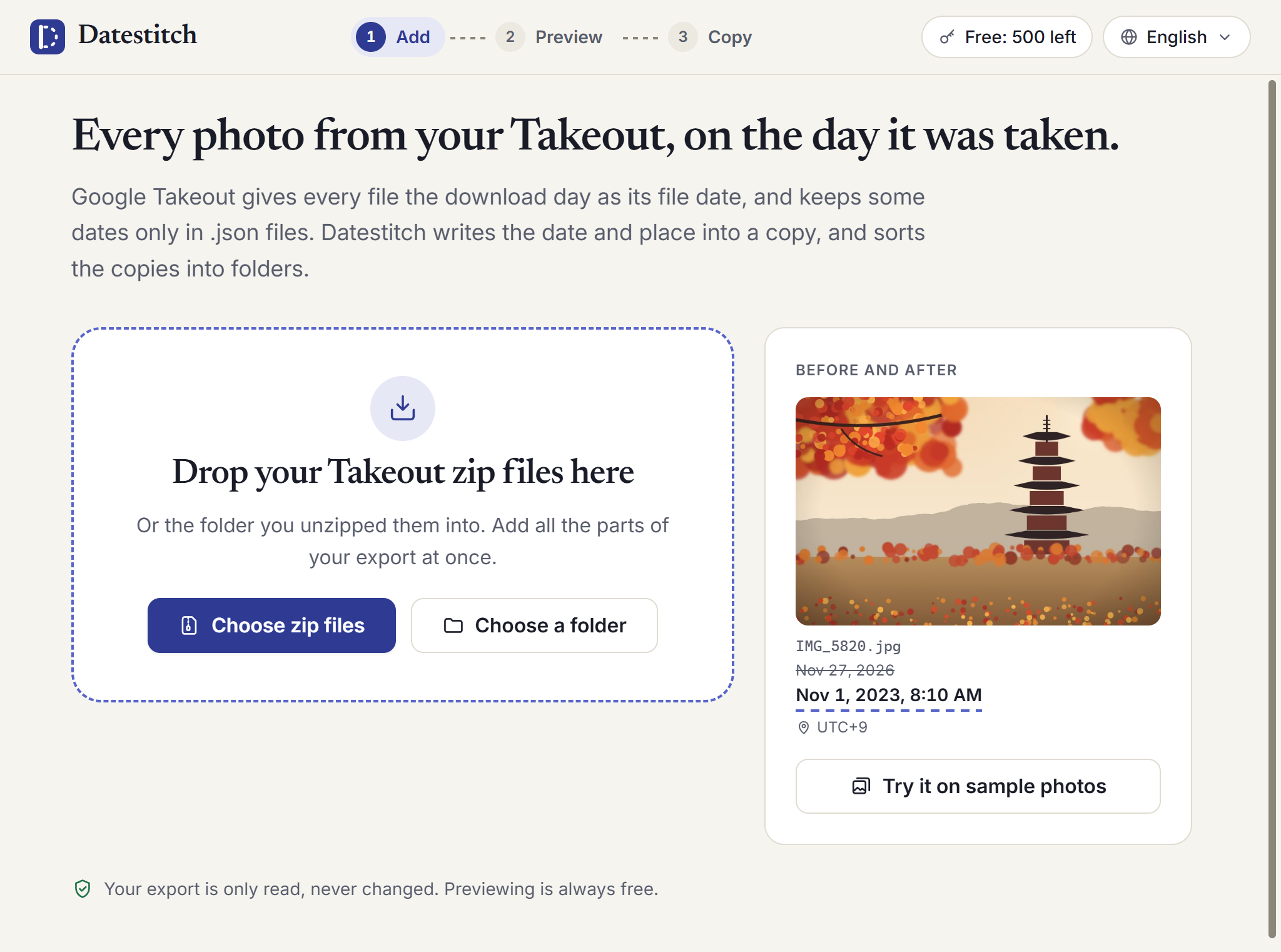
Every photo from your Google Takeout, on the day it was taken.
-
Free for your first 500 files. Preview your whole export at no cost, as often as you like.
-
Your originals stay untouched. Every release is tested by hashing each original before and after a full run.
-
Five languages. The app speaks English, 한국어, 日本語, Deutsch and Español, and reads a Takeout from a Google account in any language.
-
The right time zone. Each date is written in the local time of the place where the photo was taken.
Free for your first 500 files · Windows 10 and 11, 64-bit · Secure checkout by Polar
Four photos from one Takeout



From Takeout zips to tidy, dated folders
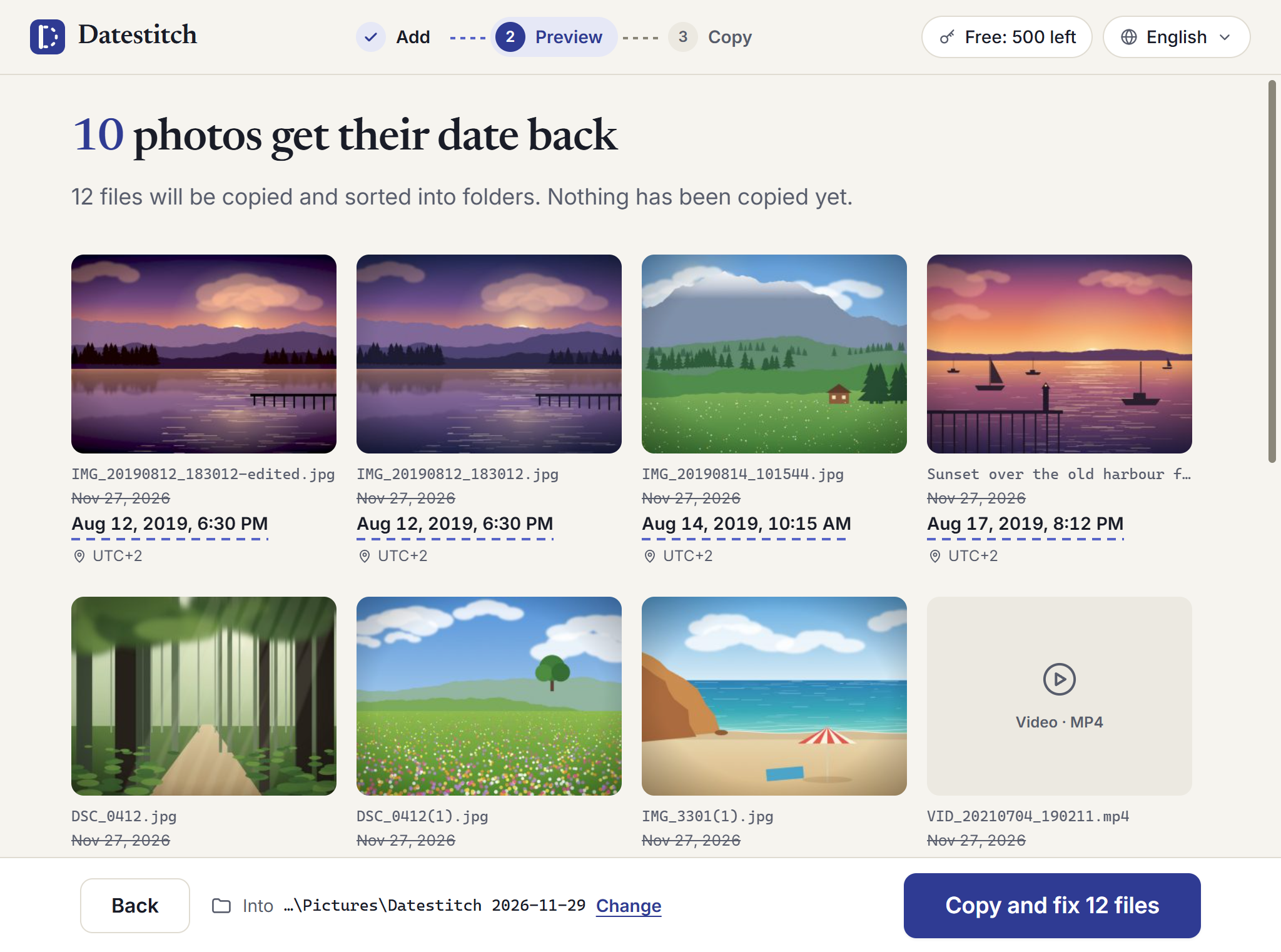
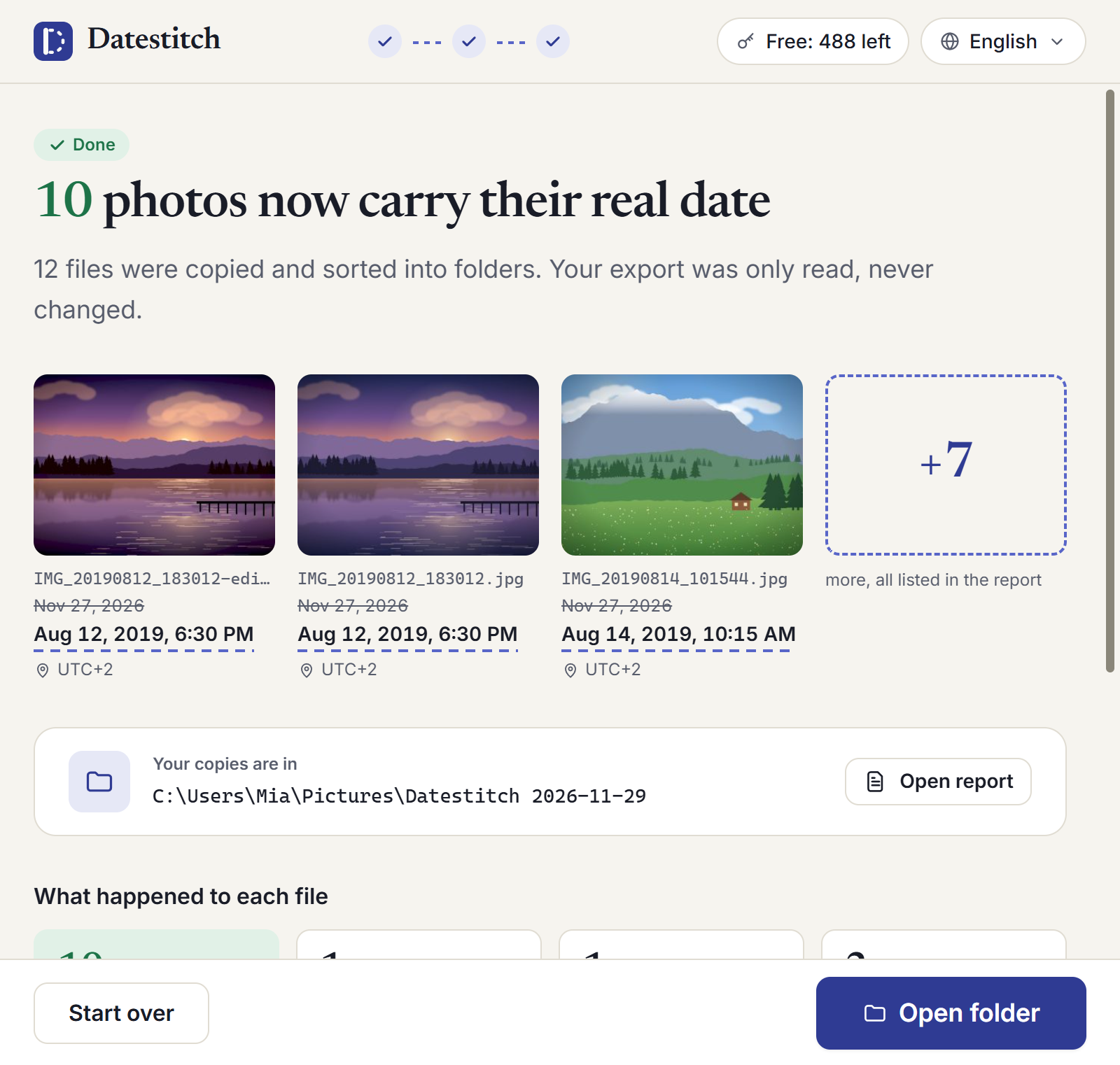
Try it free. Pay once for the rest.
The preview is always free, and so is your first 500 files. One payment unlocks the rest of your library.
- Preview your whole export, as often as you like
- Copy and fix your first 500 files on a PC
- No account, no card, no sign-up
Full version
$19 one time
- Your whole library, with no file limit
- On 2 PCs, and you can move it to a new one
- No subscription
- Activate once online, then it works offline
Secure checkout by Polar. You copy your license key from Polar’s customer portal, linked from the order email.
Not happy? Ask within 14 days for a full refund, no questions asked.
Payment by Polar, our reseller, which also handles sales tax and VAT. Sold by ZIZI Company (지지컴퍼니), Republic of Korea.
What it does not do (yet)
- Invent a date. If neither Google, the file nor its name has a date, the file stays undated and the report lists it.
- Sign in to Google. You make the Takeout yourself, so it never sees your password.
- Run on Mac or Linux. Windows 10 and 11, 64-bit, for now.
- Open .tgz files. Choose .zip in Takeout, or unpack the .tgz first.
- Carry faces or captions. Dates, places and albums only. Descriptions and comments stay behind.
- Catch near-duplicates. It skips exact copies. A resized copy counts as a different photo.
- Write into every format. BMP, AVI, MKV and camera RAW files are copied with the right file date, not edited inside.
- Work in place. It always writes a copy, so you need free space about the size of your photos.
Download Datestitch
The download is the whole app. It is free for your first 500 files, and a license key unlocks the rest without installing it again.
- Version 0.1.0
- 127 MB
- Windows 10 and 11, 64-bit
SHA-256 checksum
96c426ff445eccb283dc95f2273604995402a8d34f6c696697f4bff1b9fa8827The installer is not code-signed yet, so Windows may say “Windows protected your PC”. Click More info, then Run anyway.
Your browser may warn that the file is not commonly downloaded. In Edge, choose Keep, then Show more and Keep anyway. In Chrome, choose Download suspicious file.
Questions
Will it change or delete my original files?
No. It opens your zip files and folders for reading only and writes everything into a new, empty folder you choose. It has no move or delete mode. Every release is tested by taking a checksum of every original before and after a full run, and the test fails unless they match.
My Google account is not in English. Will it work?
It is built for that. It recognises Google's .json files by what is inside them, not by folder names, so you do not need to switch your account to English and export again. So far it has been tested on exports we built to look like English, German, Spanish, Japanese and Korean accounts, not yet on real ones.
How does it choose the time zone?
Google's files store the moment a photo was taken, not the time zone you were in. When Google or the photo itself knows the place, Datestitch writes the date in that place's local time. When there is no place, it uses your PC's time zone and marks the file in the report, so a photo from a trip abroad can be off by the time difference. Photos that carry the camera's own date keep it.
What has been tested, and what has not?
Tested: exports we built to imitate five account languages, as zip files and as folders, with cut-short .json names, edited copies, videos and files without a .json; dates written and read back for JPG, PNG, GIF, WebP, HEIC, MP4 and MOV; installing into folders with Korean, Japanese and Spanish names, on Windows 11. Not yet: a real Google Takeout, a very large export, Windows 10, AVIF, TIFF, DNG, M4V and 3GP files, and importing the result into other photo apps.
What happens to files it cannot date?
They are copied into a _no-date folder, or stay in their album folder, and the report lists them so you can sort them by hand.
Do I need to install ExifTool or anything else?
No. Everything it needs comes in the installer.
Can I use the result with Immich, Synology Photos or Apple Photos?
We have not tested them yet. The dates and places go into the standard EXIF and QuickTime fields inside each file, and the file dates are set as well.
I only have a few hundred photos.
Then the free version may do the whole job. It copies and fixes up to 500 files on a PC, and the preview tells you how many you have before you start.
How does the license work?
After you buy, you get a license key. Paste it into the app once while you are online; after that it works offline. If it cannot check the key for 30 days, it asks you to go online once. To move to a new PC, click “Remove from this PC” in the app on the old one.
Can I get a refund?
Yes. Ask within 14 days of buying and you get your money back, no questions asked. Reply to the email Polar sent you with your order; your reply comes to us.
Do I need to install it again after buying?
No. The download is the whole app, free for your first 500 files. When you buy, press Access purchase in Polar’s order email and copy your license key from the customer portal. Paste it into the app and the limit is gone.
I lost my license key.
It is in Polar’s customer portal. Sign in with the email you paid with to see your license key, receipts and orders. Open the customer portal
Is Datestitch made by Google?
No. Datestitch is an independent app. It is not affiliated with or endorsed by Google.
Help
- Questions and refunds Reply to the email Polar sent you with your order; your reply comes to us. Within 14 days of buying, you get a full refund, no questions asked.
- License key, receipts and orders They are all in Polar’s customer portal. Sign in with the email you paid with. Open the customer portal